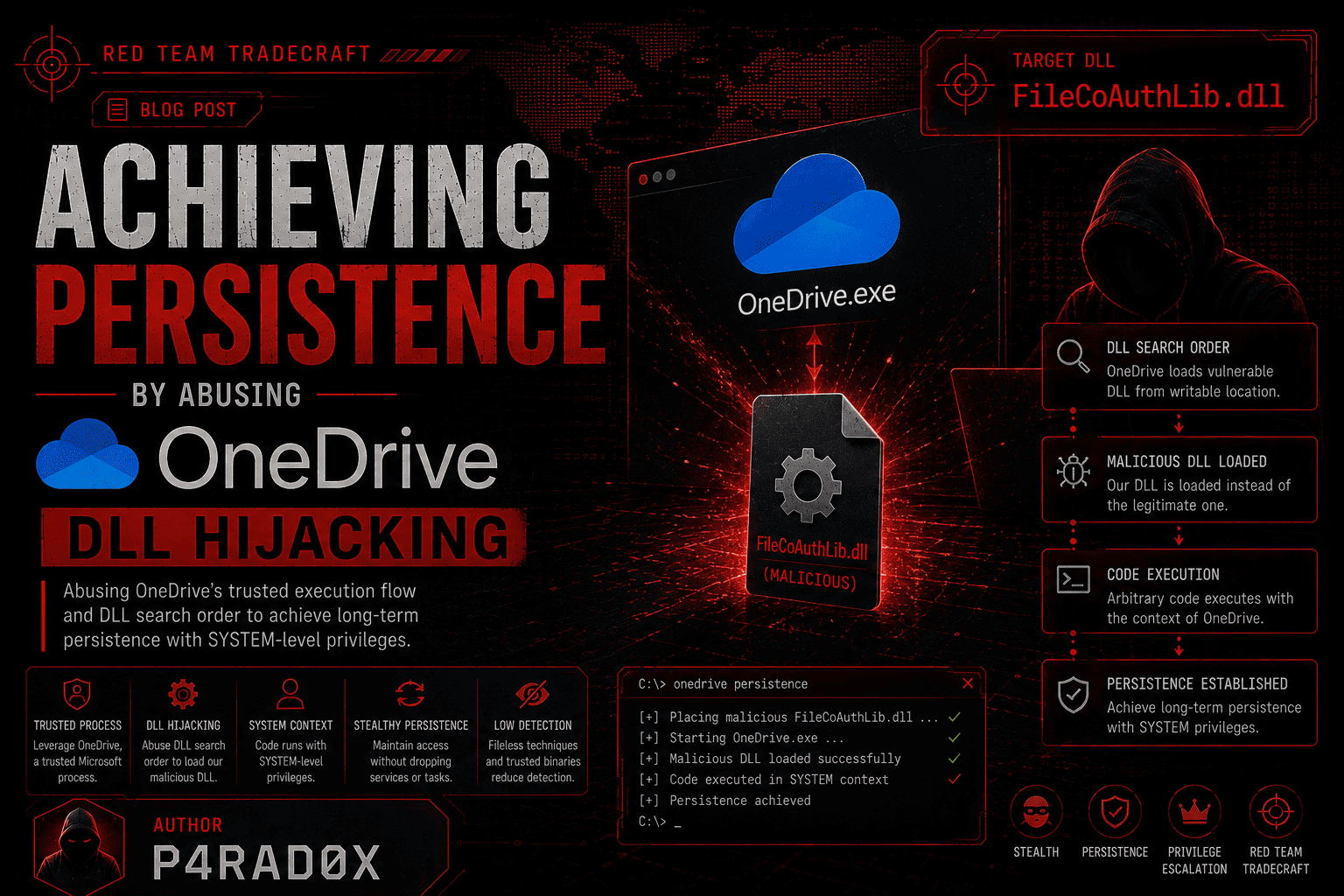
Achieving Persistence by abusing OneDrive DLL Hijacking
Introduction
When discussing post-exploitation tradecraft, persistence is one of the most critical phases in any adversary kill chain. Gaining initial access is only half the battle — maintaining that access when the target reboots, logs off, or discovers the intrusion is where the real art of Red Teaming shines.
In this article, we’ll explore a highly effective persistence technique that abuses a DLL hijacking vulnerability in Microsoft OneDrive. This method is particularly dangerous because it leverages a trusted, Microsoft-signed binary that runs automatically on most Windows systems, allowing attackers to achieve user-level persistence without administrative privileges, registry modifications, or scheduled tasks.
What is a DLL?
Before diving into the vulnerability, let’s establish a solid foundation. In the Windows operating system architecture, most applications rely on various functions to execute properly. These functions can either be:
- Statically linked — embedded directly within the executable itself
- Dynamically linked — stored in separate files called Dynamic Link Libraries (DLLs), which the main program loads at runtime
When an application needs to use a function from a DLL, it calls LoadLibrary or similar APIs to load the library into its memory space, then resolves the required function addresses.
DLLs come in two flavors:
- System-native DLLs — built-in libraries that ship with Windows (e.g.,
kernel32.dll,user32.dll,ntdll.dll) - Vendor-specific DLLs — libraries installed alongside third-party applications (e.g., OneDrive, Teams, Adobe products)
What is DLL Hijacking?
DLL Hijacking is a vulnerability that falls under the category of insecure software design. It occurs when an application attempts to load a DLL without properly verifying its integrity or authenticity. The Windows operating system follows a specific DLL search order to locate required libraries:
- The directory from which the application loaded
- The system directory (
C:\Windows\System32) - The Windows directory (
C:\Windows) - The current working directory
- Directories in the
PATHenvironment variable
When an application doesn’t specify an absolute path for a DLL or fails to validate its digital signature, an attacker can place a malicious DLL with the same name in a directory that the application searches before the legitimate location. The application then loads the attacker’s DLL instead of the genuine one, executing arbitrary code with the application’s privileges.
This vulnerability is categorized under MITRE ATT&CK T1574.001 — DLL Search Order Hijacking.
The OneDrive DLL Hijacking Vulnerability
Affected Components
Microsoft OneDrive, the ubiquitous cloud storage client, contains a DLL hijacking vulnerability in specific versions. The vulnerable DLL is FileCoAuthLib64.dll (or its 32-bit counterpart), which is loaded by FileCoAuth.exe — a legitimate OneDrive component responsible for file co-authoring functionality.
Why This Vulnerability Exists
The root cause lies in an inconsistent signature validation policy across OneDrive components:
UserOOBEBroker.exeloadsFileCoAuthLib64.dlland verifies its digital signature. If the signature check fails, the broker reports an error and stops loading.FileCoAuth.exeloads the sameFileCoAuthLib64.dllwithout any signature validation. It simply callsLoadLibraryon the DLL in the OneDrive versioned directory and proceeds with execution.
This discrepancy creates the core weakness: one execution path requires a signed DLL, while another path — pointing to the exact same DLL on disk — performs no verification whatsoever.
Affected Versions
The vulnerability has been confirmed in the following OneDrive versions:
| Version | Ring |
|---|---|
| 26.007.0112.0002 | Production (January 2026) |
| 25.179.0914.0003 | Deferred Ring |
| 26.084.0504.0007 | Production Ring |
Note: The vulnerability may exist in additional versions. Always verify the major version number, as a vulnerability may persist across multiple updates before being patched.
The Hijacked DLL: FileCoAuthLib64.dll
The specific DLL that lacks signature verification is FileCoAuthLib64.dll. Since OneDrive is installed in a user-writable path (%LOCALAPPDATA%\Microsoft\OneDrive\), any standard user can replace this DLL without requiring administrative privileges.
Attack Flow: Step-by-Step
The Big Picture
The attack chain leverages OneDrive’s automatic execution behavior. Here’s the complete flow:
Attacker prepares a malicious DLL named
FileCoAuthLib64.dllwith a payload (e.g., a C2 beacon, reverse shell, or keylogger).Attacker stops
UserOOBEBroker.exe— This is critical because the broker currently holds the legitimate DLL in memory. As long as this process runs, Windows may lock or hold references to the DLL, preventing replacement.Attacker replaces the legitimate
FileCoAuthLib64.dllwith the malicious version in the OneDrive directory.
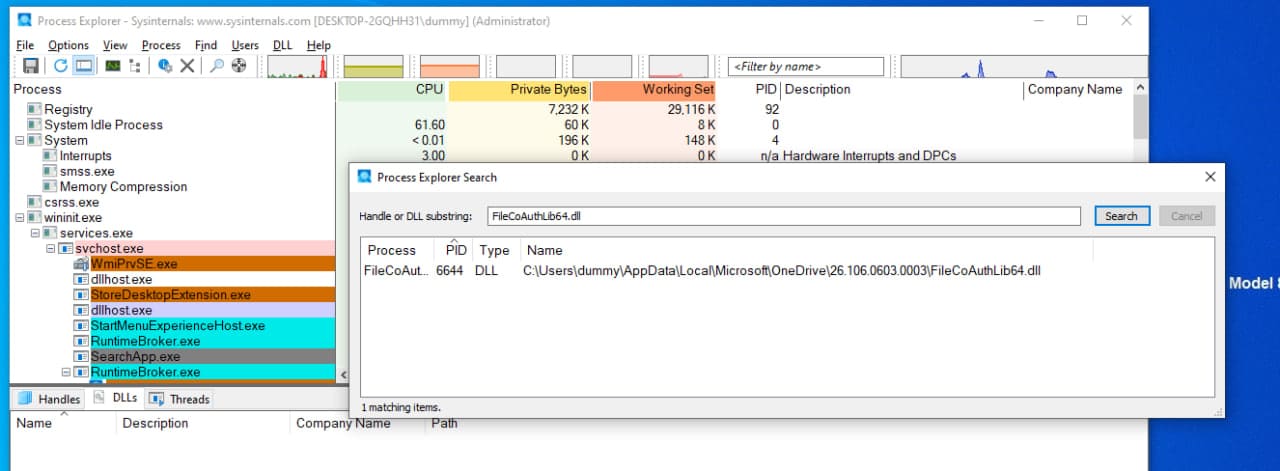
Attacker waits — OneDrive’s coordination logic automatically launches
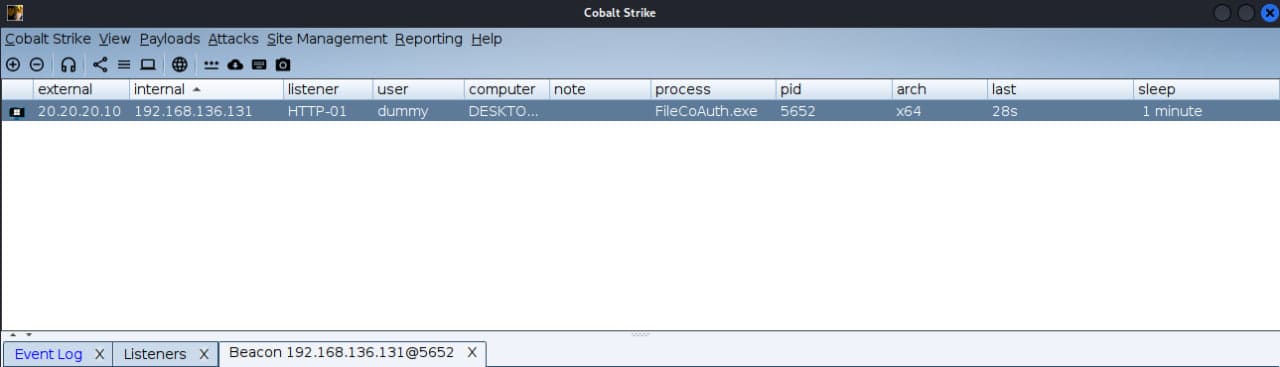
FileCoAuth.exeat regular intervals (approximately every few minutes) as part of normal sync activity.FileCoAuth.exeloads the malicious DLL — Since no signature verification occurs, Windows loads and executes the attacker’s DLL with user-level privileges.Payload executes — The attacker receives a callback or achieves their objective.
Attack Chain Diagram
1
2
3
4
5
6
7
8
9
10
11
12
13
14
15
16
17
18
19
20
21
22
23
24
┌─────────────────────────────────────────────────────────────────────┐
│                                                                     │
│  1. Attacker crafts malicious FileCoAuthLib64.dll                   │
│                                                                     │
│                              ▼                                      │
│  2. Persist.exe (or manual steps):                                  │
│     a. Stops UserOOBEBroker.exe (releases DLL lock)                 │
│     b. Deletes/moves legitimate FileCoAuthLib64.dll                 │
│     c. Copies malicious DLL to OneDrive directory                   │
│                                                                     │
│                              ▼                                      │
│  3. svchost.exe launches FileCoAuth.exe (automatic, periodic)       │
│                                                                     │
│                              ▼                                      │
│  4. FileCoAuth.exe calls LoadLibrary on FileCoAuthLib64.dll         │
│     (NO signature verification)                                     │
│                                                                     │
│                              ▼                                      │
│  5. Malicious DLL executes under FileCoAuth.exe (user context)      │
│                                                                     │
│                              ▼                                      │
│  6. Attacker receives callback / persistence achieved               │
│                                                                     │
└─────────────────────────────────────────────────────────────────────┘
Why This Technique is So Effective
1. User-Level, Low-Friction Persistence
OneDrive runs by default on most Windows 10 and 11 installations. The attacker does not require administrative rights for the core hijack — only user-level write access to the OneDrive version directory under the user profile. Once in place, the DLL runs whenever OneDrive’s coordination logic triggers FileCoAuth.exe, providing repeated execution without:
- Registry edits
- Service installation
- Scheduled tasks
- Startup folder entries
2. Signed-Binary Trust Transference
Security tools often grant more trust to binaries under C:\Program Files or vendor directories like OneDrive. FileCoAuth.exe and svchost.exe already hold that trust. The malicious DLL rides on top of that trust because a Microsoft-signed process loads it.
Many heuristic engines focus on process creation, not on DLL authenticity inside a trusted process. This technique capitalizes on that detection gap.
3. Stealth and Reliability
FileCoAuth.exemay trigger recurrently every few minutes, so the DLL executes multiple times- The attacker DLL can use a mutex to prevent multiple concurrent instances and enforce a single active payload
- No suspicious child processes are spawned — the malicious code runs inside a legitimate Microsoft process
Real-World Adversary Usage
This technique has been observed in the wild. The threat actor UNC1549 (suspected Iranian origin) has been documented using OneDrive DLL hijacking for persistence. Their attack chain included:
- Placing a malicious DLL in the OneDrive directory
- Creating a registry entry under
HKCU\SOFTWARE\Microsoft\Windows\CurrentVersion\Rundisguised as a legitimate OneDrive update process - Wrapping execution in PowerShell script blocks containing
FileCoAuth.exe
Detection & Defense for Blue Teams
What to Monitor
| Event ID | Log Source | Description |
|---|---|---|
| 4688 | Windows Security Log | Process creation — monitor for FileCoAuth.exe with unusual parent processes |
| 1 | Sysmon | Process creation with full command-line details |
| 7 | Sysmon | Image loaded — monitor for DLL loads from unexpected paths |
| 11 | Sysmon | File creation — detect new DLLs written to OneDrive directories |
| 4104 | PowerShell Operational Log | PowerShell command execution (if payload uses PowerShell) |
Detection Queries
Sysmon Event 7 — Suspicious DLL Load by OneDrive:
Event
| where SourceImage contains "FileCoAuth.exe"
| where ImageLoaded contains "FileCoAuthLib64.dll"
| where ImageLoaded !contains "System32"
| project TimeGenerated, Computer, SourceImage, ImageLoaded
File Creation in OneDrive Directory:
Event
| where EventID == 11  // Sysmon file creation
| where TargetFilename contains "OneDrive" and TargetFilename endswith ".dll"
| where TargetFilename contains "FileCoAuth"
| project TimeGenerated, Computer, ProcessName, TargetFilename
Mitigation Strategies
1. Restrict Write Permissions
Prevent non-privileged users from writing to the OneDrive directory:
1
icacls "%LOCALAPPDATA%\Microsoft\OneDrive" /deny %USERNAME%:W
2. Enable Microsoft Defender ASR Rules
Attack Surface Reduction rules can block untrusted DLLs from being loaded by trusted processes. Enable the rule: “Block executable files from running unless they meet a prevalence, age, or trusted list criterion”.
3. Application Control
Use AppLocker or Windows Defender Application Control (WDAC) to:
- Block loading of unsigned or unexpected DLLs by trusted binaries
- Enforce code-integrity policies
4. Monitor for Anomalous DLL Loads
- Track DLL load events for OneDrive processes (Sysmon Event 7)
- Alert when
FileCoAuth.exeloads DLLs from unexpected paths outsideSystem32
5. Least Privilege
- Minimize administrative rights across user accounts
- Consider isolating file-sync services from high-privilege environments
6. Keep Systems Patched
Ensure OneDrive and Windows are fully updated. Microsoft may release patches for specific versions.
MITRE ATT&CK Mapping
| Tactic | Technique | ID | Description |
|---|---|---|---|
| Persistence | DLL Search Order Hijacking | T1574.001 | Hijacking execution flow via DLL replacement |
| Persistence | Boot/Logon Autostart Execution | T1547.001 | Registry Run key persistence (optional) |
| Defense Evasion | System Binary Proxy Execution | T1218 | Execution via trusted Microsoft binary |
| Defense Evasion | Signed Binary Proxy Execution | T1218 | Leveraging signed FileCoAuth.exe |
| Execution | Shared Modules | T1129 | Malicious DLL loaded by legitimate process |
OPSEC Considerations for Red Teams
Test your DLL thoroughly —
FileCoAuth.exemay load the DLL multiple times. Implement a mutex to prevent duplicate execution.Handle the broker process —
UserOOBEBroker.exemust be terminated before replacing the DLL, as it holds a lock on the legitimate file.Mind the version path — OneDrive version directories change with updates. Enumerate the correct path dynamically:
1
%LOCALAPPDATA%\Microsoft\OneDrive\<version>\FileCoAuthLib64.dll
Timing matters —
FileCoAuth.exemay not trigger immediately. Be patient and allow OneDrive’s natural sync cycle to execute.Consider payload hosting — The malicious DLL doesn’t need to export any specific functions; it only needs a valid entry point (e.g.,
DllMain).Stealth is key — Avoid spawning obvious child processes. Run your payload inside the trusted process context whenever possible.
Potential Issues & Limitations
OneDrive must be installed — This technique only works on systems with OneDrive, though it’s installed by default on most Windows 10/11 installations.
Version-specific — The vulnerability exists in specific versions. Always verify the target version before attempting exploitation.
User-level only — This provides persistence at the user privilege level, not SYSTEM. For elevated access, additional privilege escalation techniques would be required.
EDR detection — Modern EDR solutions may detect anomalous DLL loads into
FileCoAuth.exe. Consider using more advanced evasion techniques if operating in heavily monitored environments.Patching — Microsoft may patch this vulnerability in future updates. Always check the latest OneDrive version before deployment.
References
- MITRE ATT&CK T1574.001 — DLL Search Order Hijacking
- MITRE ATT&CK T1218 — System Binary Proxy Execution
- LOLBAS Project — OneDrive
- Cyber Shafarat — New Persistence Method
- Microsoft OneDrive Sync Release Notes
- Varutra — Attackers Exploit OneDrive.exe DLL Sideloading
Author: Mahdi Hasanzadeh AKA. P4RAD0X